
Campaign Manager

Track Every Lead & Sales Result With CRM Campaign Management
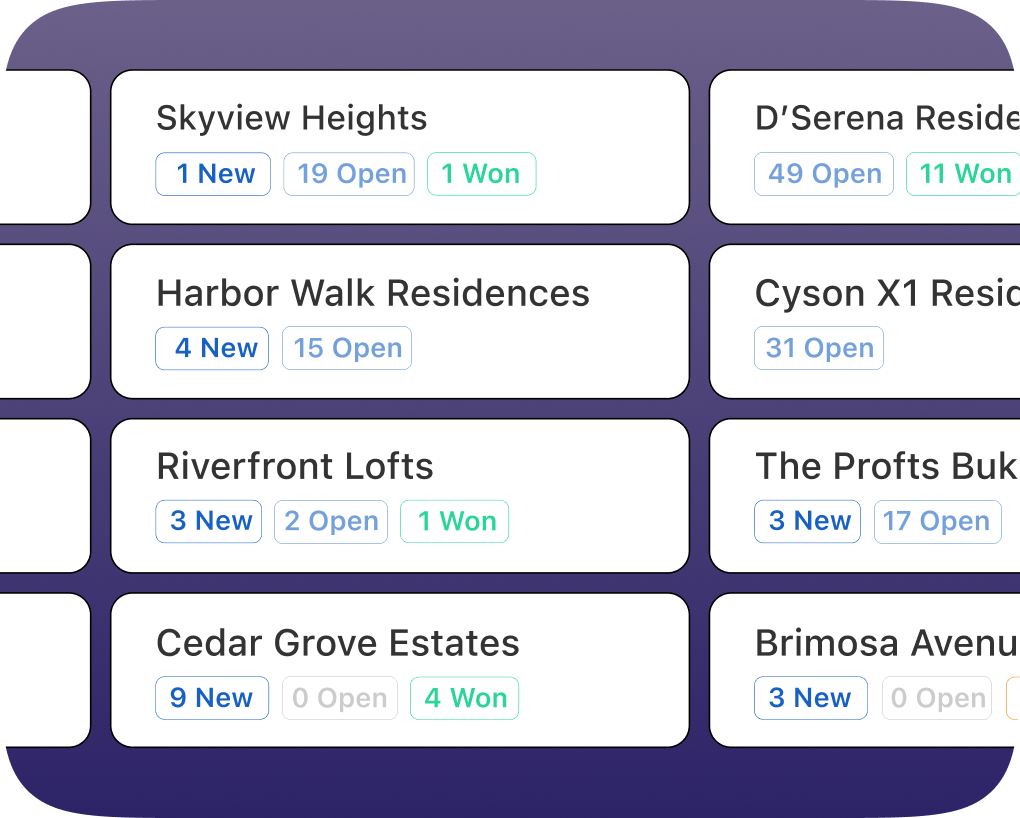
Click and track all your active campaigns’ sales performance at a glance in Leaf CRM. Give every ad, project or branch its own campaign, with its own lead sources, pipeline and salespeople.
 
An image showing multiple campaigns created in Leaf CRM.

What Leaf CRM can do for you?

Organise and track leads by campaigns for better strategy insights.

Assign salespeople to specific campaigns to focus on the most relevant leads.

Analyse detailed performance metrics to refine strategies and maximize results.

What is Campaign Management in Leaf CRM?

Campaign management helps businesses organize and manage leads generated into Leaf CRM. It allows you to track leads, assign them to salesperson and monitor sales results from each campaign.
 
In Leaf CRM, you can create separate campaigns for different products, services or locations. Each campaign can has its own lead sources, sales pipeline and assigned sales team, making it easier to manage leads and track sales performance.

What is Leaf CRM's Campaign Manager

Focuses on managing incoming leads, assigning them to salesperson and tracking their progress through the sales pipeline.

What is not Leaf CRM's Campaign Manager

Create and send bulk marketing messages or email campaigns to existing contacts.

What can you manage within each campaign?

Lead sources

Connect Facebook, Instagram, TikTok, and other lead sources to your campaign. All leads collected through these sources are organized under the campaign.

Sales pipeline

Use the default sales pipeline or customize the stages for each campaign.

Salesperson

Salesperson automatically receive notifications through the Leaf CRM mobile app whenever a new lead is assigned to them.

Lead notifications

Set up automatic email notifications for salesperson, leads or both when a new lead arrives.

Sales documents

Link relevant Document Library folders to the campaign so salesperson can easily access the documents they need.

Country, time zone and currency

Set the country, time zone and currency for each campaign.

Campaign status

Activate or stop a campaign once ad campaign ends or whenever needed to stop incoming leads.

How businesses use Campaign Management In Leaf CRM

A campaign management system in CRM helps you organise your leads based on how your business operates. You can create separate campaigns for different products, services, projects or locations, each with its own lead sources, sales pipeline and salespeople.
 
PROPERTY DEVELOPER

One campaign per project

Each project gets its own ads, pipeline and property agents. Property agents only see leads for the projects they sell.
COLLEGE OR UNIVERSITY

One campaign per intake or programme

Each intake or programme has its own lead sources and counsellors. So program enquiries are automatically assigned to the right team and tracked separately.
CLINIC OR HOSPITAL

One campaign per service or event

Assign staff to each campaign based on the service they handle, and track enquiries for each service separately.

Set up a new campaign in four steps.

Pick a pipeline

The default pipeline, or your own stages for this campaign.

Add the salespeople

Anyone who already has a user in your Leaf account.

Set lead assignment frequency

Choose how frequently each salesperson receives new leads to control how leads are distributed among your team.

Connect the lead sources

The  lead forms and web forms for this campaign’s ads.
Step-by-step guide: create a campaign →
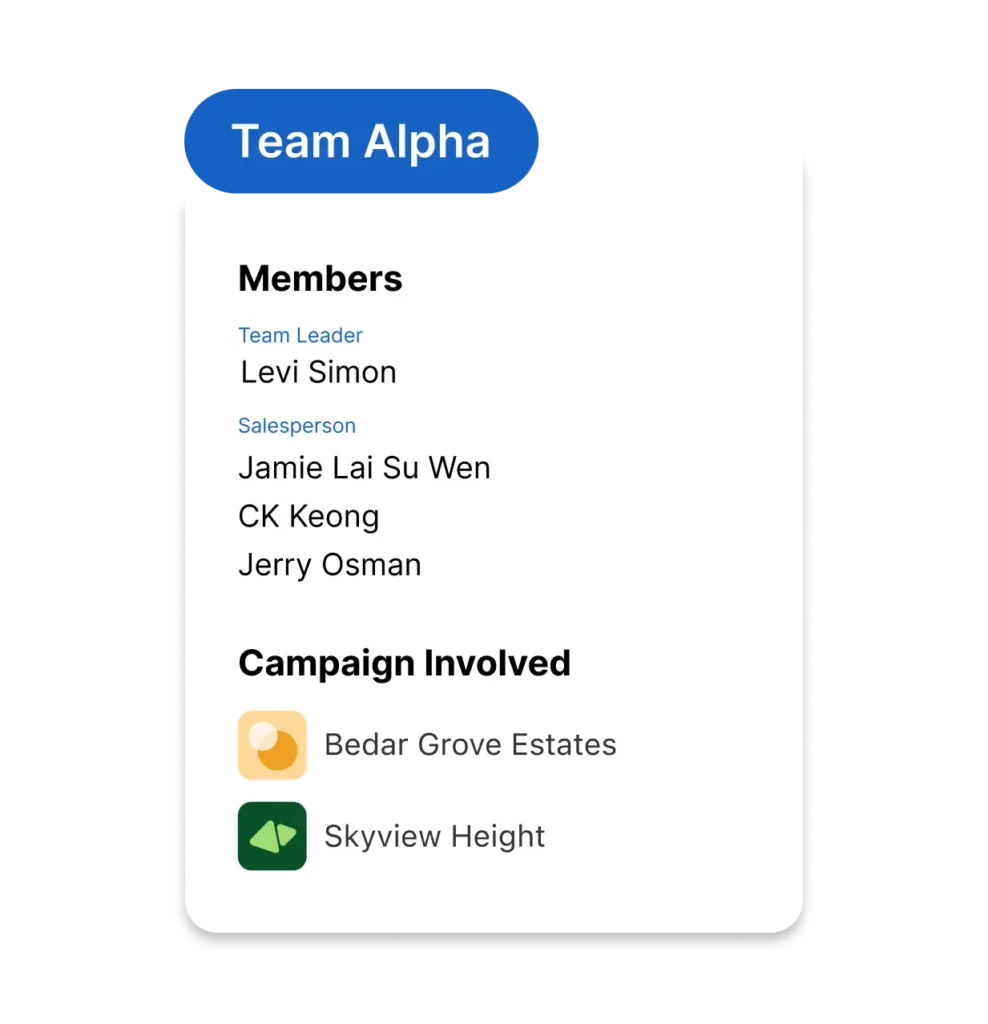
The salesperson(s) assigned to a campaign in Leaf CRM.

Track each campaign's results in one view

Monitor each campaign’s performance through its own campaign dashboard and understand how each campaign performs.

Monitor lead progress

See how many leads are new, in progress, won or lost within the campaign.

Track sales conversions

See how leads move through the campaign’s sales pipeline and how many turn into sales.

Review salesperson performance

See how each salesperson are performing within the campaign.
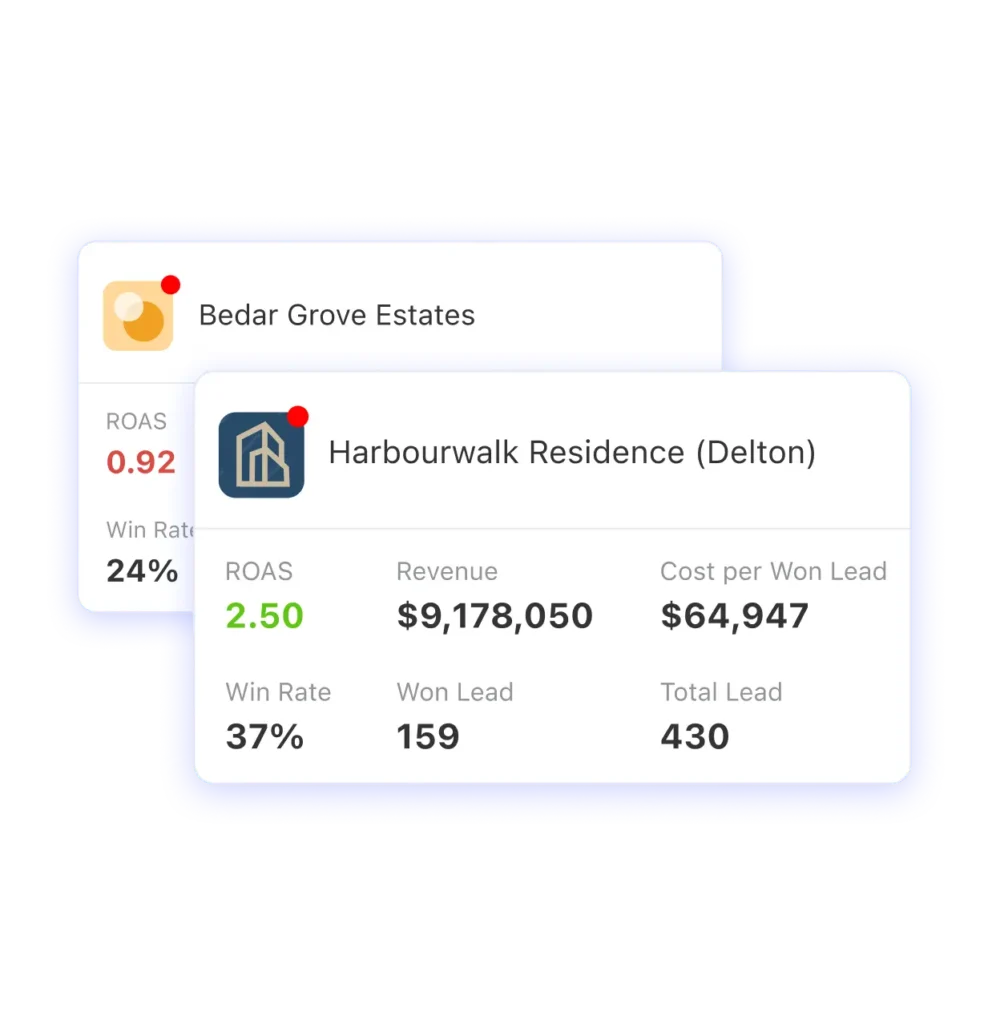
See how each salesperson are performing within the campaign.

Track revenue, cost per won lead, and ROAS to understand how well the campaign performs.
The revenue and sales details in an individual campaign.

Start free. Upgrade as you grow.

MONTHLY ANNUALLY

Starter

Free

Get started with essential CRM features for small teams.

Most Popular

Pro

USD32

/seat/month

Everything your growing team needs to manage more leads.

Enterprise

Contact us

Unlimited access for large organisations with advanced needs.

Starter
Free

Get started with essential CRM features for small teams.

Most Popular

Pro

USD320

/seat/year
Get 2 months free every year

Everything your growing team needs to manage more leads.

Enterprise
Contact us

Unlimited access for large organisations with advanced needs.

See how our clients close more sales with Leaf CRM software

Tabung Haji Travel & Services Sdn Bhd logo.

“We can finally see every lead’s progress clearly. Our sales agents follow up faster, missed leads have dropped, and we can finally reduce all our manual tasks.”

Zana Yahya

Business Development Manager

100%

Leads captured and followed up

46 mins

on average time taken to contact new leads

Full Visibility

on salesperson and campaign performance

“I no longer have to worry about missing any leads because everything is tracked properly in Leaf CRM. Our consultants finds it easier to check and contact leads using Leaf CRM.”

Amber

Senior Manager of Marketing, Recruitment, and Communication

< 1 hour

Lead follow up rate decreased from days to hours

100%

Lead captured from ads

18.2s

Average minimum time taken to contact new leads

Frequently asked questions

Is Leaf CRM a campaign management software?

Leaf CRM helps you manage the leads generated from your marketing campaigns, rather than creating or running the ads themselves. Unlike campaign management software or email marketing campaign management software that focuses on planning and executing campaigns, Leaf CRM campaign management organises incoming leads, automatically assigns them to salespeople and tracks their progress through the sales pipeline.

Can one salesperson work on more than one campaign?

Yes. You can assign the same salesperson to multiple campaigns in Leaf CRM. They can access and manage leads from each campaign through the Leaf CRM mobile app or web portal.

Can I pause a campaign when the ads stop?

Yes. You can change a campaign’s status from Active to Stopped whenever needed and reactivate it later. The number of active campaigns you can have depends on your Leaf CRM plan. The Starter plan allows 1 active campaign, Pro allows 8, and Enterprise supports unlimited active campaigns.

Start closing more leads in less time

Get instant access to powerful tools that help you track leads, follow up faster, and convert more prospects into paying clients.