Capture & Assign Leads From Instagram To CRM
Automatically capture leads from Instagram lead forms
Assign incoming leads to the right salespeople based on your rules
Track which Instagram campaigns generate leads and sales
What Can You Capture with an Instagram CRM?
Instagram lead ads (Feed, Stories, Reels and Explore)
- Supported by Leaf CRM, automatically
Link in bio or Story link sticker
- Supported by Leaf CRM, via a form
Lead ads running on both Instagram and Facebook
- Supported by Leaf CRM
Instagram direct messages (DMs)
- Not supported by Leaf CRM
Instagram comments and likes
- Not supported by Leaf CRM
How to Connect Instagram Lead Ads to Leaf CRM in 6 Steps
Open your campaign
Go to All Campaigns and select the campaign where you want to collect your Instagram leads.
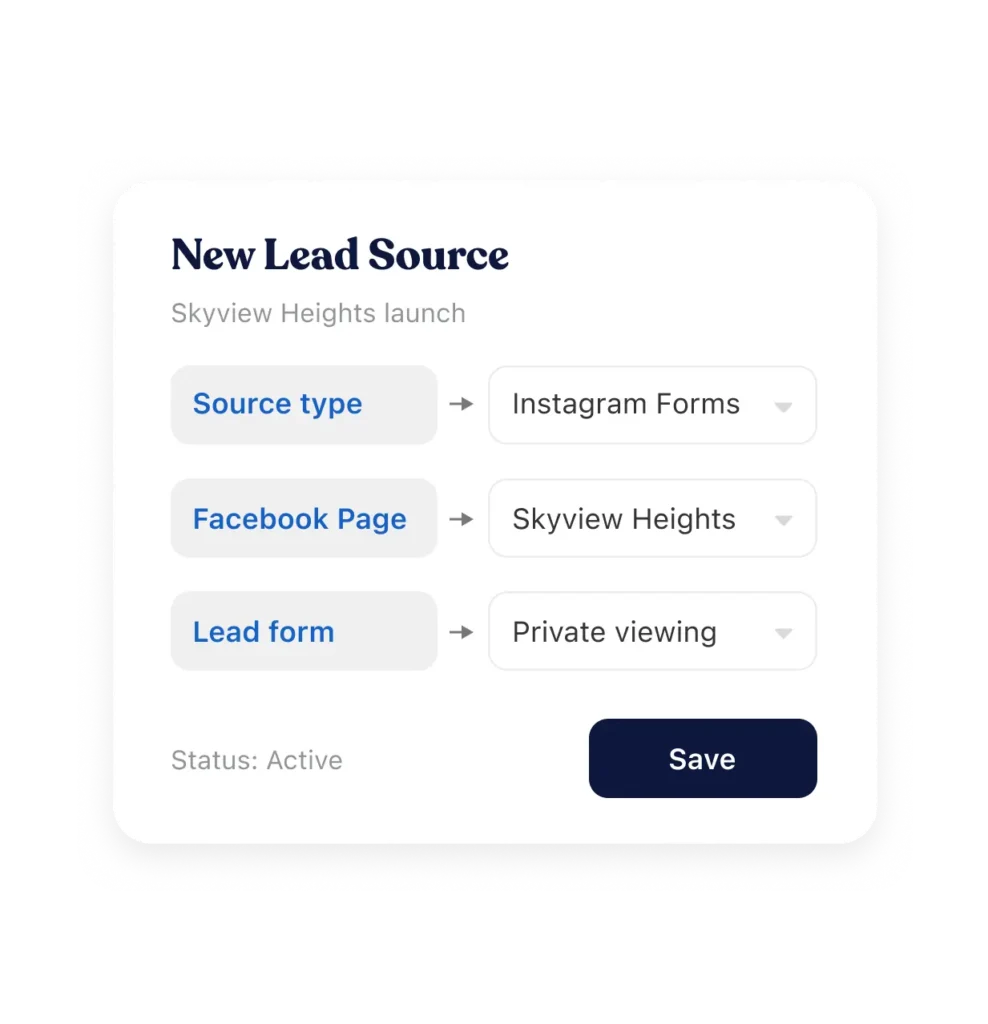
Add a lead source
Select Instagram Forms
Connect your Facebook account
Select your Page and lead form
Test your connection
What Happens When A Lead Comes In?
Lead submits an Instagram form
Meta sends the lead to Leaf CRM
Leaf assigns the lead to a salesperson
Salesperson receives an instant notification
Salesperson follows up with the lead
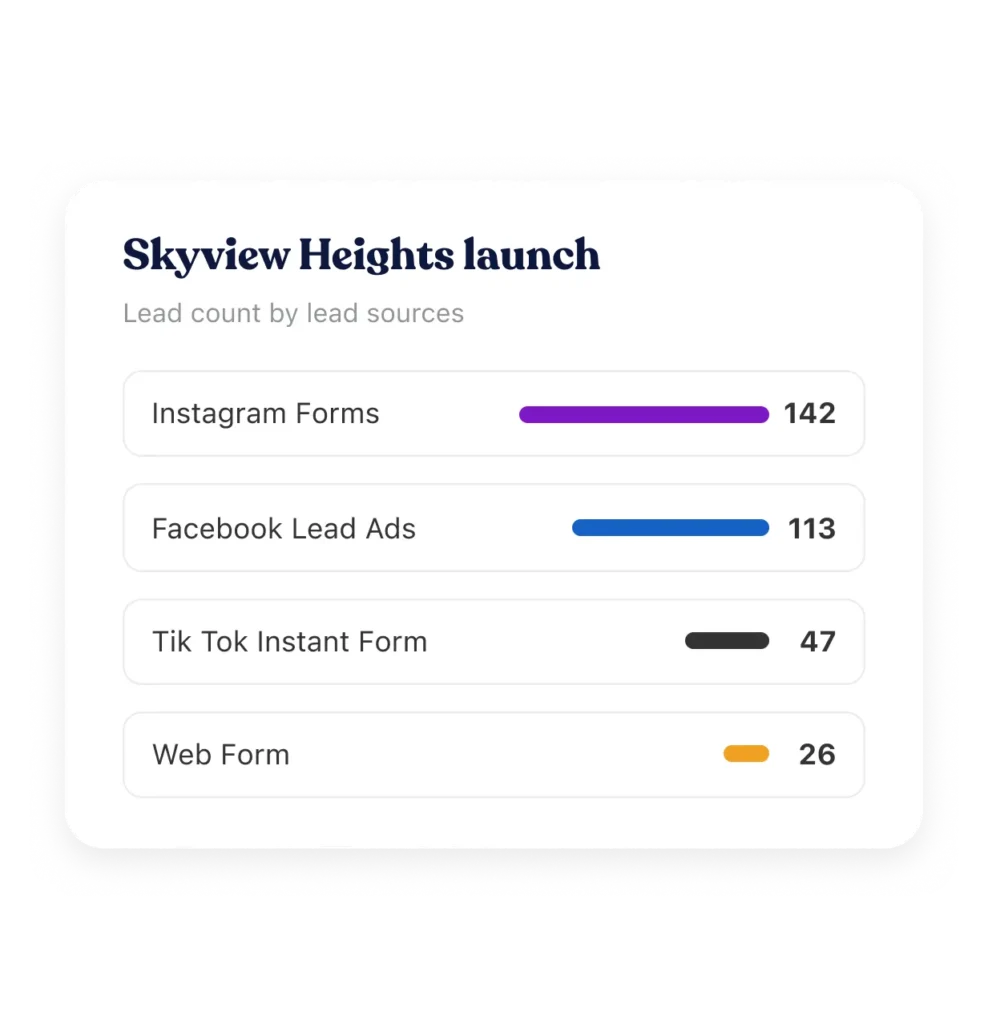
Track Which Instagram Lead Generation Ads Bring Sales
Compare leads from different sources
Measure your campaign performance
Improve your Instagram ad targeting
Who Uses Leaf CRM to Manage Instagram Leads?
Ads for Product Launches
Stories Ads for Promotions
Link in Bio for Ongoing Enquiries
More integrations for Leaf CRM
TikTok
Google Lead Form
Web Forms
Typeform
WordPress
Zapier
Slack
Leaf Webhook API
Instant Form
Mailbox
Meta Conversions API
Frequently asked questions
Does Leaf CRM capture Instagram DMs?
What is the best CRM for Instagram?
Do I need a Facebook Page to connect Instagram lead ads?
My ads run on Facebook and Instagram. Where do the leads go?
What happens if the same person submits another lead using a different Instagram lead form?
Leaf CRM identifies returning leads using their contact information and links their enquiries under one Master Lead record. If the person enquires about a different campaign, Leaf CRM can assign the new lead to the same salesperson, provided that salesperson is assigned to both campaigns. Otherwise, the lead will be assigned to another salesperson based on the new campaign’s lead assignment rules.
Start closing more leads in less time
Get instant access to powerful tools that help you track leads, follow up faster, and convert more prospects into paying clients.