
Businesses & Roles

CRM For Small Business & SMEs That Never Want To Miss A Lead

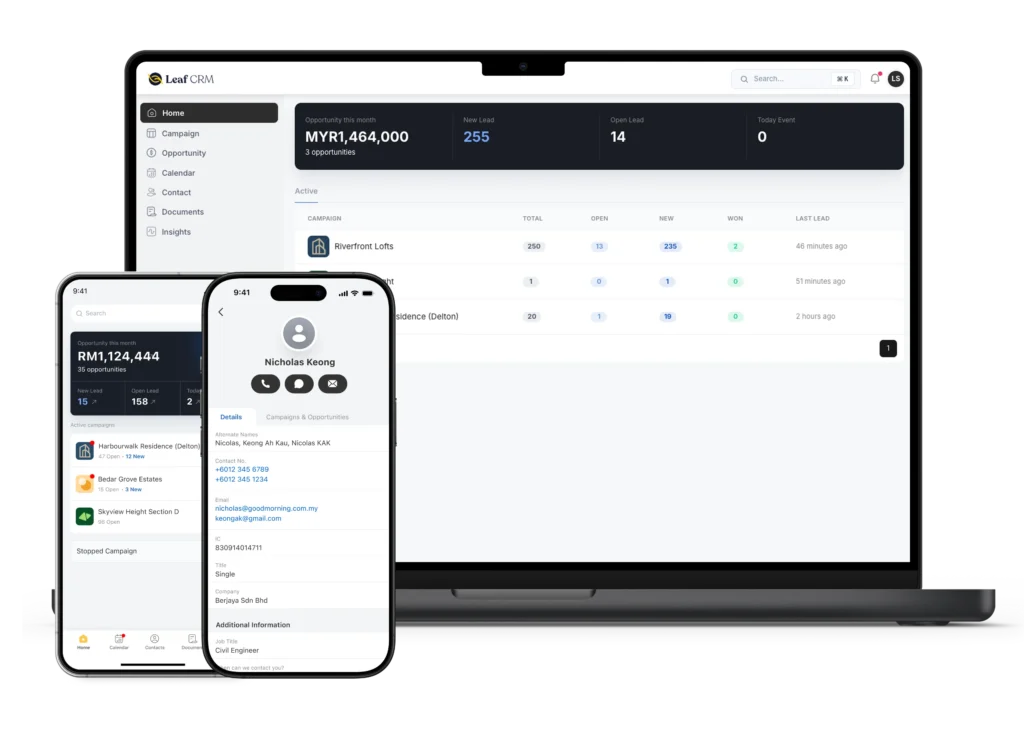
A small business CRM that keeps your leads organised and your sales team on top of every follow-up. New leads are assigned straight to a salesperson. So everyone knows who they need to contact next.

Employees and founders from SMEs are working together by using Leaf CRM to handle their lead management and follow-ups.

What A CRM For Small Business Should Do?

A sales CRM keeps your leads, conversations and deals in one place. For a small business, it should also reduce the manual work needed to manage them.
 
If you are choosing a CRM for your small business, look for one that solves these common problems:
Bring leads from your connected channels into the place.
Assign every new lead to a saleperson
Notify the salesperson as soon as a lead is assigned
Keep every lead and deal at the right stage of your sales process
Keep follow-up tasks and reminders visible
Connect campaigns to actual sales results

Why Leaf CRM is perfect for SMEs?

Running a small business already means wearing many hats. Leaf CRM takes some of the manual work out of managing leads, so your team can spend more time selling and serving customers.
SME team can save time by using Leaf CRM to reduce their manual operation time.

Save Time on Manual Work

Spend less time downloading leads, assigning them and updating spreadsheets. Leaf CRM handles repetitive work automatically.
Leaf helps SMEs to keep lead data organised as they scale.

Stay Organised as You Grow

Keep your sales stages, lead sources, and team roles structured as your business expands. So, handling dozens or thousands of leads stays manageable.
Make data-driven decisions with ROI report and salesperson performance report.

Make Data-Driven Decisions

See your salesperson performance and how every campaigns are performing. Use real sales data to decide where to focus your time and budget.

Leaf CRM helps to put a good value to marketing budgets.

Deliver a Better Customer Experience

Respond to enquiries sooner and keep follow-ups consistent. Customers get a better experience from their first enquiry onwards.

Simple Enough to Set Up Without an IT Team

An easy-to-use CRM for small business should not need a complicated setup. You can get Leaf CRM ready for your sales team in a few steps:

Bring in your existing leads

Import your current lead spreadsheet, so you do not have to start from scratch. Spreadsheet import →

Connect your lead sources

Connect the channels and forms where your leads come from. New leads will flow into Leaf CRM automatically.

Add your sales team

Add your salespeople and decide how new leads should be assigned.

Get your team started

Follow the onboarding guides to set up your workspace and help your sales team learn how to use Leaf CRM. Help Centre →

Start free. Upgrade as you grow.

MONTHLY ANNUALLY

Starter

Free

Get started with essential CRM features for small teams.

Most Popular

Pro

USD32

/seat/month

Everything your growing team needs to manage more leads.

Enterprise

Contact us

Unlimited access for large organisations with advanced needs.

Starter
Free

Get started with essential CRM features for small teams.

Most Popular

Pro

USD320

/seat/year
Get 2 months free every year

Everything your growing team needs to manage more leads.

Enterprise
Contact us

Unlimited access for large organisations with advanced needs.

See how our clients close more sales with Leaf CRM software

Tabung Haji Travel & Services Sdn Bhd logo.

“We can finally see every lead’s progress clearly. Our sales agents follow up faster, missed leads have dropped, and we can finally reduce all our manual tasks.”

Zana Yahya

Business Development Manager

100%

Leads captured and followed up

46 mins

on average time taken to contact new leads

Full Visibility

on salesperson and campaign performance

“I no longer have to worry about missing any leads because everything is tracked properly in Leaf CRM. Our consultants finds it easier to check and contact leads using Leaf CRM.”

Amber

Senior Manager of Marketing, Recruitment, and Communication

< 1 hour

Lead follow up rate decreased from days to hours

100%

Lead captured from ads

18.2s

Average minimum time taken to contact new leads

What is the best CRM software for a small business?

What is the best CRM for a small business?

The right CRM for a small business should be easy for your team to use and simple to manage. Look for one that captures and keeps all leads in one place, automatically assigns them to the right salesperson and makes follow-ups easy to track. For a small team, the CRM should also be easy to set up without needing an IT team.

Which CRM is best for beginners?

A CRM for beginners should be simple to set up and easy to use every day. Your team should be able to manage leads, follow up with customers and track sales without a complicated system to learn. Look for guided onboarding and a clear interface that helps your team get started quickly.
 

Can I build a CRM in Excel?

Yes. You can use Excel to track leads in CRM when you are starting. A spreadsheet can store contact details, lead sources, sales stages and follow-up dates. However, this requires a lot of time and manual effort. As your team grows, it becomes harder to manage, and you end up spending more time updating the Excel file. A CRM can automatically capture and assign leads, send notifications and reminders, and keep updates visible to everyone. See what a CRM database can do for your business compared to an Excel file.

Start closing more leads in less time

Get instant access to powerful tools that help you track leads, follow up faster, and convert more prospects into paying clients.