


A business need a proper system that stores prospect data while also focusing on activities that drive revenue growth. This is where CRM tools come in: to help businesses contact leads without “forgetting” any of their details.
In this guide, you will learn what a CRM tool is, how the CRM system supports your business, and compare six of the best CRM tools in the market.
TL;DR: Top 6 CRM Tools in 2026
What is a CRM tool and who is it for?
Traditionally, a salesperson will use a CRM to track and contact their leads. Now, a modern CRM tool can manage the entire customer lifecycle from capturing their interest through lead sources to signing a deal with a salesperson.
Most CRM in the market are now built to also store customer information and interaction history, and support collaboration across multiple teams in an organisation.
Every small business owner, SME, and enterprise team needs a crm solution to centralise customer data and customer interactions into one view of customer activities.
Why CRM is important for business?

There are many benefits of using a CRM in managing customer relationships. An MIT study on lead response found that a business that contacts a lead within 5 minutes is 21x more likely to qualify them. However, customer relationship management does not end when a deal is won.
Once a prospect becomes a customer, they will be handed over to different teams responsible for onboarding, account management, or customer support.
A CRM tool acts as a centralised record of the customer’s information and interaction history, giving teams a shared point of reference without relying on unorganised records or information passed between employees. With a proper CRM, the entire company can ensure a smooth customer experience and increase customer retention.
What does A CRM system do?
A crm system centralises lead data and automates many aspects of customer relationship management. Modern crm platforms often combine both sales and marketing tools into an integrated platform.
How CRM tools help in lead management?
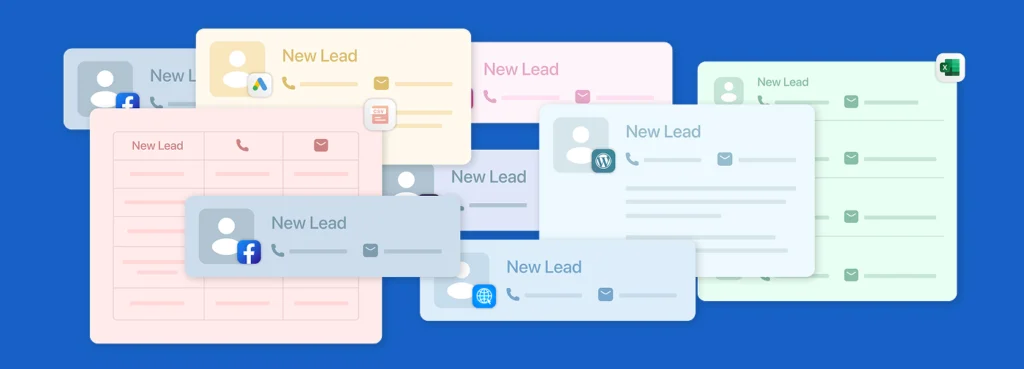
Lead management is the process of capturing and organising leads generated from marketing channels before assigning them to the right salesperson for follow-up.
A CRM system reduces manual data entry, prevents lead leakage, and prevents duplicate lead assignment within the sales team.
By connecting campaigns that use website forms, Facebook forms, or other lead source channels directly to a CRM, leads will automatically be captured and centralised in one database, eliminating manual lead collection and distribution
How do CRM tools support customer relationship management?
Customer relationship management is managing an interaction with prospects and existing customers to build a good reputation and move sales opportunities towards a purchase.
A CRM tool helps a salesperson to keep an opportunity moving by allowing them to follow up with customers faster, storing opportunity details, and giving visibility into the deal stages.
With a CRM, a salesperson can open a lead record to see previous conversations and understand what the customer is interested in. As the customer progresses from initial contact to quotation, negotiation, and a purchased or won deal, the salesperson can update the sales pipeline and schedule next action in the CRM.
How do CRM tools assist in reporting?
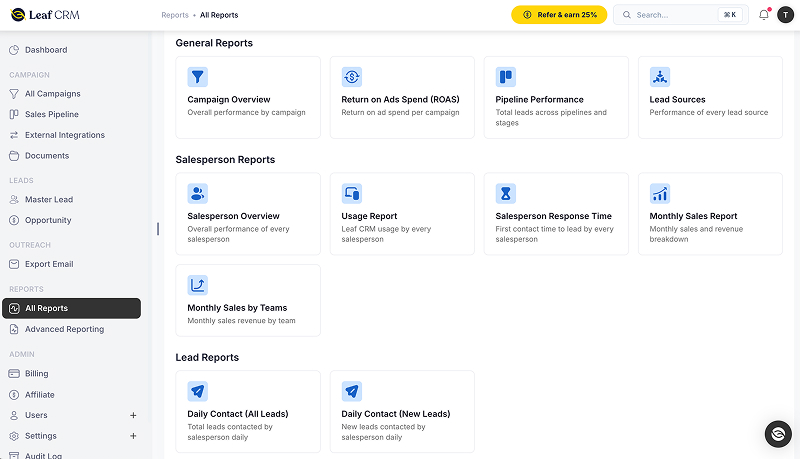
As leads are captured and opportunities progress through the CRM, data such as lead sources, conversion rates, deals won or lost, and sales and salesperson performance can be reflected in reports and dashboards.
Most CRM tools provide built-in reports, while some CRM tools also offer custom reporting tools that allow businesses to organise reports around metrics that matter to them.
This reduces the need for teams to constantly prepare reports and communicate performance updates manually. Management and decision-makers can access the latest reports for deal status and sales performance from the CRM in real-time.
Best CRM tools examples for Businesses
There is no single CRM tool that is best for every business. Some focus heavily on sales pipelines, while others are designed for cross-department workflows or simplicity.
The best CRM depends on how your team works, sales process, and features you actually need. The following is an example CRM tools list based on what each platform does particularly well and the type of business it is best suited for.
Leaf CRM: Best for campaign-focused sales
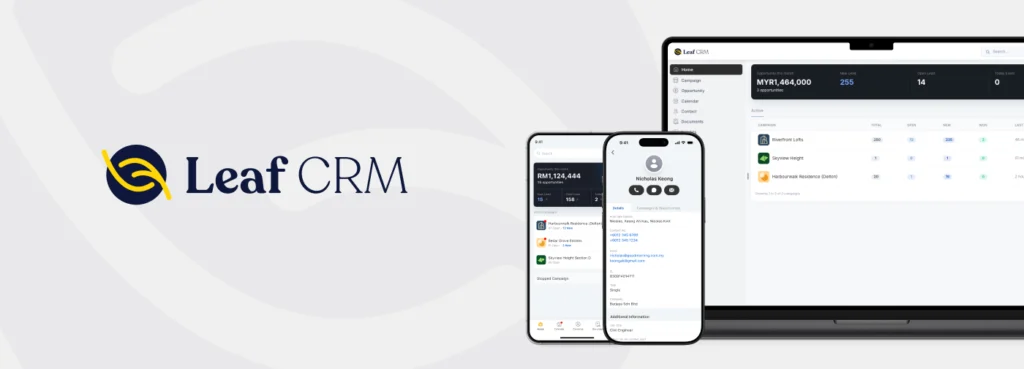
In Leaf CRM, leads are organised by the campaigns that generated them rather than simply being stored as individual lead records. Leads and sales opportunities remain connected to those campaigns, allowing businesses to track the journey from initial enquiry to won deal and compare metrics such as win rate, cost per won lead, and ROAS across campaigns.
This also allows marketers or managers to assign a dedicated sales team to each campaign. And the salesperson can immediately call or WhatsApp leads based on the campaigns they are assigned to, making it easier to spot opportunities across campaigns.
Pipedrive: Best for sales pipeline management

Pipedrive is built around keeping deals moving through a visual, activity-based sales process. Its pipeline gives salespeople a clear view of where each deal stands, while activities and recommended next steps help teams determine what needs attention next.
Bigin by Zoho CRM: Best for small business

Privyr: Best for mobile lead response

Salesforce: Best for complex and scalable crm requirements

Less Annoying CRM: Best for simplicity

| CRM | Key strength |
|---|---|
| Leaf CRM | Organise leads by campaigns to manage sales within a campaign independently. |
| Pipedrive | Manage and visualise the deal journey within a sales pipeline. |
| Bigin | Support lead management and lead response for small businesses moving beyond spreadsheets. |
| Privyr | Capture leads into a single workspace. |
| Salesforce | Customise and support complex workflows across marketing, sales, and operations. |
| Less Annoying CRM | Simplify customer relationship management for solopreneurs. |
What to look for when choosing the right CRM tool
Evaluate these criteria: CRM features (reporting, automation, integrations), usability, customisation, pricing and total cost, security, and vendor support. Consider your:
- Sales and marketing workflow, including how teams collaborate throughout the customer journey
- Whether you need it for campaign management, pipeline management, organising leads, or a combination of these
- How the CRM system will support customer relationships, reporting, and long-term business growth
Once you identify this, get a free trial with a pilot team to test workflows. This will help you validate the CRM use in solving your business problem.
Conclusions
Leaf CRM, Pipedrive, Bigin. Privyr, Salesforce, and Less Annoying CRM are all powerful CRM tools. There is nothing more or less among these CRMs. The suitability depends entirely on your business process, sales workflow, and what you want to achieve by adopting a CRM.
To find the best CRM for your business, create a shortlist from the crm tools list above, run free trials, compare reporting capabilities and automation tools, and select a solution that aligns with your business needs.
If you run multiple lead generation campaigns and need a structured way to organise leads, while also assigning leads to dedicated sales teams and measuring performance for each campaign and salesperson, Leaf CRM is built exactly for this.
Book a personalised demo to see how Leaf CRM can help your team manage campaigns more effectively and turn more leads into customers.
