


Every business needs sales automation to speed up the follow-up process. Without automation, sales tools like shared inboxes and spreadsheets can’t keep up, so lead response is slow.
An ad lead might arrive at 8:00 PM after your sales team goes home. Someone sees it at 9:00 AM the next day and forwards it to a salesperson. The salesperson might see it and only call after lunch. And by then, the lead would have probably been approached by your competitor or lost interest in the product/service.
But with sales automation, the system can alert a salesperson in seconds. And the salesperson can reply immediately. This process can happen in as little as 5 minutes.
This guide helps small teams of 2 to 10 salespeople who collect leads through ads and forms. You will learn what sales automation is, what tasks to automate first, and how to get started.
Key Summary
- Sales automation uses software to handle repetitive sales tasks, such as lead capture, lead assignment, follow-up reminders, pipeline updates, and reporting.
- Sales automation and marketing automation serve different purposes. Marketing automation focuses on attracting and nurturing leads, while sales automation helps sales teams manage leads and move deals forward.
- The five key examples of sales automation are automatic lead capture, instant lead assignment, follow-up reminders, pre-filled reply templates, and automated sales reports.
- Sales automation helps small teams respond to leads faster, reduce missed opportunities, improve productivity, and track sales performance. However, salespeople still need to handle conversations, qualify leads, and make decisions.
- To implement sales automation, measure your current response time, identify the biggest delay, define your automation rules, choose a suitable tool, test it with one lead source, and review the results after two weeks.
- A CRM with built-in automation allows small sales teams to manage leads, automate repetitive tasks, and monitor sales performance in one system.
What is sales automation?
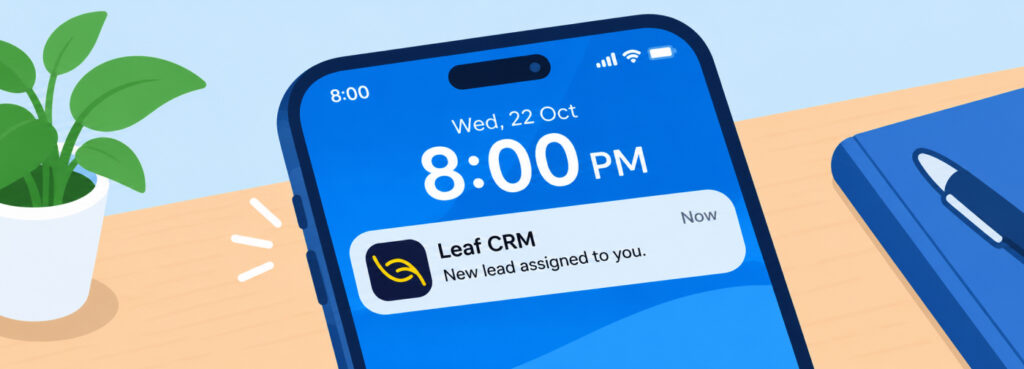
Sales automation handles repetitive and manual tasks in the sales process. It captures leads, assigns them to reps, sends follow-up reminders, and tracks sales performance. Sales teams can therefore focus on building relationships and closing deals.
For example, a lead might arrive at 8:00 PM after your sales team goes home. Someone sees it at 9:00 AM the next day and forwards it to a salesperson. The salesperson might see it and only call after lunch. And by then, the lead would have probably been approached by your competitor or lost interest in the product/service.
But with sales automation, the system can alert a salesperson in seconds. And the salesperson can reply immediately. This process can happen in as little as 5 minutes.
Sales Automation vs Marketing Automation
Beginners often mix up sales automation and marketing automation, or confuse both with sales force automation. Here is how they differ:
- Marketing automation
Marketing automation works at the top of the sales funnel. It is the emails and ads before someone becomes a lead (and after, if they go quiet), for example, sending an automated email sequence when a user downloads a website whitepaper. Sales automation is the process that follows right after it. - Sales force automation (SFA)
SFA is a subset of sales automation. It is software that automates a sales team’s record-keeping by logging calls and emails to each deal and keeping the pipeline and forecast current. This makes SFA useful once reps have more open deals than they can track from memory.
Sales process automation: What to automate at each stage
Sales process automation can take over part of each stage, but not all of it. Your sales team members still handle every conversation with leads. The table below shows how to automate the sales process at each stage and what stays with your team.
| Stage | How it's done by hand | What software automates | What the salesperson still needs to do |
|---|---|---|---|
| Lead capture | Someone checks every inbox and ad account and then copies leads into a spreadsheet. | Each new lead goes straight into one shared list, with its source recorded. | Setting up your sales automation platform and linking your forms and ad accounts at setup. |
| Lead assignment | A manager reads the lead and decides who gets it when they get to it. | A preset lead routing rule assigns the lead to an available rep and alerts their phone. | Setting up or choosing the assignment rule. |
| First contact | The rep composes a reply from scratch whenever they see the notice for first contact. | An alert, the template with the lead details filled in, and the timer on the reply. | Checking the draft and sending it to the channel the lead used. |
| Follow-up | Callbacks depend on reps' memory and sticky notes. | A to-do that builds itself from each status change and a reminder every morning. | Holding every follow-up conversation and writing each message for that specific lead. |
| Pipeline updates | Deals are updated when someone remembers, usually at the weekly meeting. | Reps update changes from their devices, and the system flags stuck or lost deals. | Deciding when to give up a deal. |
| Reporting | The reporter goes through the sales data in every spreadsheet and drafts the report. | A live report shows where leads come from and how fast reps reply. | Reading the data for sales performance and fixing what isn't working. |
Read down the table, and you’ll spot a pattern. Software handles the parts of the sales process that move the lead from one place to the next. Your reps do the talking and the deciding. The examples below show which of these tasks to automate first.
Examples of sales automation
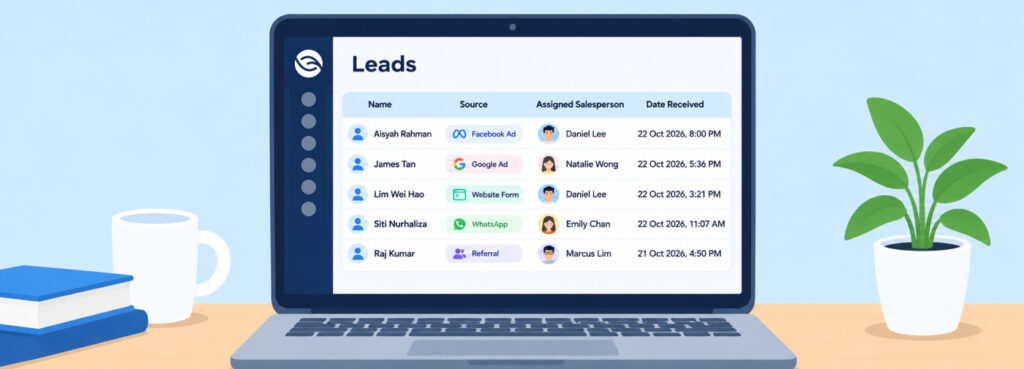
We ranked the five examples below by two things. The first is how much time each one saves over doing the job by hand. The second is whether your team can switch it on without a developer.
1. Automatic lead capture from every source
Every other automation depends on this one, so it comes first. A lead fills in a form or an ad on any platform. Within seconds, the lead shows up in one shared list, and the list shows where it came from.
Each lead saves your team only a minute or two of copying. The bigger gain: no lead sits in an inbox that nobody checks.
2. Sales lead automation: instant assignment to the right rep
This is the one that closes the gap between the 8:00 PM lead and the next-day call. A new lead lands, and a rule picks the rep. The rule can take turns (round robin) or match by area or product. It skips anyone who is off that day, and the chosen rep’s phone buzzes.
Sales lead automation turns hours of waiting into seconds. Our client GMH, a digital agency, cut its follow-up time from four hours to five minutes with instant lead assignment and phone alerts.
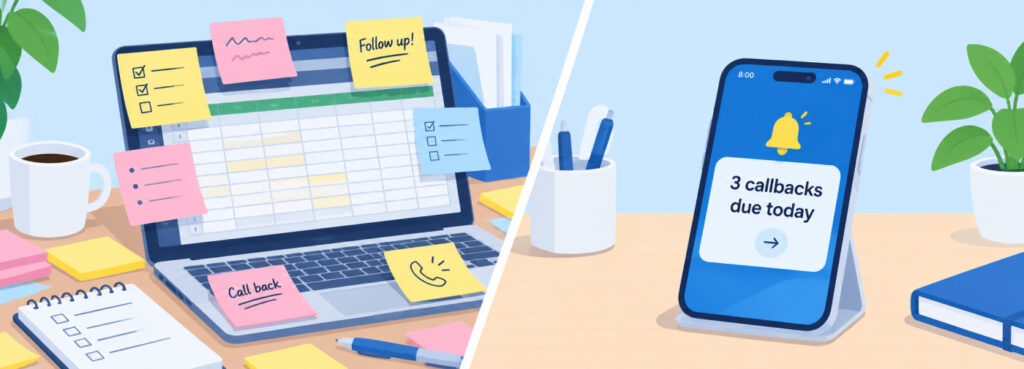
3. Automatic follow-up tasks and reminders
After first contact, the risk moves from speed to memory. A rep marks a lead as “Called, no answer.” The next task then appears on their list with a date, such as “Call again tomorrow at 10:00 AM.” Each morning, a reminder shows what is due.
A to-do list that builds itself replaces memory and sticky notes, so sales teams stay on top of every callback. A lead who misses the first call still gets the second one.
4. Pre-filled reply templates
When the phone buzzes, the rep opens a message that already holds the lead’s name and the product they asked about. The rep reads it, changes a line if needed, and sends it. Nobody types a reply from scratch at a red light.
Be clear about the split. Software prepares the template, but your rep presses send. The reply goes out fast and still sounds like a person wrote it.
5. Automatic sales reports
Every new lead and every status change feeds the report as it happens. You see how many leads each source brings in and how fast each rep replies. You also see what each campaign earns back on its ad spend.
Nobody rebuilds a spreadsheet at the end of the month. You spot a slow rep or a weak ad within days, not weeks.
The benefits of sales automation and its limits
Once the handoffs run on their own, your team will feel five changes:
- Leads get answered while they are still interested: A reply in minutes reaches someone who still remembers filling in your form.
- Nothing falls through: Every new lead lands on a rep’s list, so none sits unread in an inbox.
- Every lead gets the same first hour whoever is on: The rule treats a Saturday-night lead the same way it treats a Monday-morning one.
- Sales leaders see what is happening without asking: A live report shows who called whom and which deals are stuck.
- Reps spend the day selling, not copying: They stop moving leads between tabs and start calling them.
Our client, The University of Malaya-Wales (IUMW), shows what this looks like in practice. Its six counselors used to hand out Meta Ads leads by hand, and some leads slipped through. In March 2023, IUMW switched to automatic lead capture and round-robin assignment. Its average follow-up time dropped from several days to under an hour. Its average minimum time to contact a new lead now sits at 18.2 seconds. By September 2025, the system had captured and assigned more than 64,300 inquiries without missing one.
Automation has limits, though. Watch for these three:
- It scales what you already do: Automation speeds up your process, but it doesn’t make it any better. A bad first message sent in five seconds is still a bad first message, and now every lead gets it. Fix the message before you speed it up.
- It cannot decide: A rule can assign a lead in one second, but it can’t tell you if the deal is real. That call belongs to the rep who talked to the lead and heard what they need.
- The lead can tell: Leads ignore messages that sound like a machine wrote them. You’ll know you’ve gone too far when a lead replies, “Is this a bot?” The conversation is the part that wins deals. A team that hands it to software gives away its edge.
So how should you use automation first? Pick one handoff and automate it this week, as the next section explains.
How to implement sales automation: Start with one thing this week

Setting up sales automation isn’t technically hard; knowing where to start is. Follow the six steps below to build your sales automation strategy.
1. Measure
Open last week’s leads. For each lead, note its source, when it arrived, and when a rep first replied. Put the times in a spreadsheet and subtract one from the other. Then average the gaps. Also count how many leads never got a reply. Write both numbers down, because you will need them again in step six.
2. Find the leak
Next, find where the wait piles up. Sort your slow leads into two groups. A lead that sat unclaimed until 9:00 AM points to assignment, because nobody knew it was theirs. A lead that reached a rep but got no reply until lunch points to the first alert. Count each group. The bigger group is your leak, so fix that one first.
3. Write the rule on paper first
Before you open any tool, write down who gets each new lead. Decide the order reps take turns in, who covers when someone is off, and who gets leads that arrive after hours. This is important because your automation tool executes the rule but in a no-brainer mode. Say your rule has no backup plan for a rep on leave, your tool will still assign leads to this rep and you will lose the lead due to no timely contact.
The written rule also helps tell you what features to look for when picking the tool, and what to check on your sales report.
4. Pick a sales automation tool
This step takes the most thought, because automation tools help sales teams in different ways. Here are three kinds of sales tools to choose from:
- A CRM platform with automation built in: It captures leads, assigns them, and sends reminders on its own from day one.
- A workflow builder, such as Zapier or n8n: It connects the apps you already use. You build and fix each step of your sales workflow automation yourself.
- A full sales and marketing suite: It runs ads, email, and sales in one platform. The price and setup time grow to match.
For a small team that gets leads from ads and forms, pick the first kind. All five examples above come built in, so sales teams focus on selling instead of maintaining a workflow.
The cost depends on the kind of tool. Lead capture, alerts, and reminders often come with a CRM’s free or entry plan. Look back at your written rule and find what features are necessary, and then filter the price and features to find your most suitable tool.
5. Switch it on for one lead source
Turn the rule on for one source only, such as your Facebook lead form. Leave your other sources as they are for now. For the first three days, check each new lead. Did it reach the right rep? Did the rep’s phone buzz? Did the backup step in when someone was off? Fix the rule before you add a second source.
6. Measure again in two weeks
After two weeks, run the same count from step one, but only on that source. Compare the new average wait with that source’s old one. Then compare how many leads got no reply. If both numbers dropped, add your next lead source and repeat steps five and six. If they didn’t, go back to step two and look for a second leak.
What sales automation looks like in a CRM
An automated CRM runs your sales process in one place, so your reps spend more time talking to leads and pushing the sales stage forward. Leaf CRM is built for teams that get leads from paid ads, websites, and forms. Here is what happens to one new lead inside it:
- It captures the lead: Leaf pulls leads from Facebook, Instagram, TikTok, Google Ads, and web forms into one list. Your reps no longer copy rows between tabs.
- It assigns the lead: Leaf sends each lead to a sales representative in real time, based on rules you set. You can split leads evenly or route them by product or location. The rep then gets an alert on their phone.
- It reminds the rep: The to-do list sends reminders for callbacks and meetings, so no follow-up slips.
- It speeds up the reply: Reps can message leads on WhatsApp without saving their numbers first. Saved templates spare them from typing the same greeting again and again.
- It reports the results: A live leaderboard shows how fast each rep contacts new leads, so you know who your best sales reps are. It also shows which campaign brings in the best leads.
Our client, Tabung Haji Travel & Services, shows what this looks like day to day. Its team now captures and follows up on every lead. Its reps contact new leads in 46 minutes on average. Zana Yahya, its Business Development Manager, sums it up: “Missed leads have dropped, and we can finally reduce all our manual tasks.”
Conclusion
Sales automation saves your reps from repetitive tasks, allowing sales teams to focus on the selling and conversations. Your next move is to find the one step that made last week’s leads wait longest, and automate it.
There is one case where you don’t need to use sales automation at all. If you sell alone, get a handful of leads a week, and always keep your phone in your pocket, you are already fast enough.
Interested in CRM for your sales automation? Try our Starter Plan free with no credit card.
Frequently asked questions (FAQs)
1. What is sales automation, and why is it important for businesses?
Sales automation uses software to do repetitive sales tasks, such as data entry, lead routing, and follow-up reminders. It matters because reps spend 70% of their time on tasks that are not selling. Automation takes over that work and frees sales reps to focus on calling leads and closing deals. A small team can then increase sales without new hires.
2. How does sales automation impact sales team efficiency and productivity?
Sales automation improves your team’s speed, and speed wins leads. A Harvard Business Review study tracked 1.25 million leads. Firms that called within an hour were seven times as likely to qualify a lead as firms that waited one hour more. Automation helps you hit that window every time. It gives each lead to a rep in seconds and nudges the rep to call. That’s why early adopters report 10 to 15% better efficiency.
3. What is the difference between CRM and sales automation?
A CRM stores your customer data, while sales automation acts on that data. The CRM holds every contact, deal, and past call in one place. Sales automation then adds rules on top of that record. For example, when a new lead enters the CRM, a rule assigns it to a rep and sets a follow-up task. Many modern CRMs build both into one tool, so small teams need only one system.
4. What are the different types of sales automation tools and software available?
Sales automation tools come in five main types, and each one covers a different step of the sales process. Lead capture tools pull form and ad leads into one list. Routing tools then assign each lead to the right rep. Next, email automation tools send follow-ups, while task tools remind reps of the next step. Finally, reporting tools track sales activities like calls and deals. Most small teams get all five in one sales automation platform, usually a CRM.
5. What is the role of AI in sales automation?
AI makes sales automation smarter. Beyond basic tasks like data entry, machine learning algorithms evaluate customer data to score leads and support sales forecasting. AI can write personalized messages and proposals, while natural language processing powers chatbots and analyzes calls.

An SEO content writer and a researcher focusing on CRM, digital literacy and AI literacy.